Ever found yourself staring at a blank login screen after spending a few minutes on a new casino site? That’s the exact frustration I hit when I first opened SpinBoss. The promise of a slick interface and generous bonuses was real, but the real test was getting past the login gate without a hitch.
Step 1: Find the SpinBoss Login Page
The first thing to do is navigate to the official SpinBoss site. Once there, look for the “Log In” button in the top‑right corner. It’s labeled in bright blue, so it won’t get lost in a sea of links. Clicking it opens a small pop‑up where you’ll need to enter your username and password. If you’re a new player, click the “Register” link next to the login fields and follow the prompts.
Step 2: Verify Your Account Before You Log In
SpinBoss offers a two‑factor authentication (2FA) option that’s optional but highly recommended. After you enter your credentials, you’ll receive a code via SMS or an authenticator app. Enter that code, and you’re in. This extra layer stops anyone who might have stolen your password from accessing your funds.
Step 3: Explore the Casino SpinBoss Menu
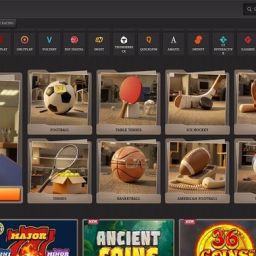
Once inside, you’ll see a horizontal menu with tabs like “Games,” “Promotions,” and “Account.” The Games section hosts over 2,000 titles, from classic slots to live dealer tables. The platform uses a licensed software provider, so the odds are fair and the software is audited regularly. For a quick spin, click “Slots” and you’ll be dropped into a curated list of the top‑rated titles.
Step 4: Claim Your Welcome Bonus Safely
SpinBoss welcomes new players with a 100% match bonus up to £200 plus 50 free spins on the popular slot Starburst. To claim it, head to the Promotions tab and click “Claim Bonus.” You’ll need to enter a promo code—“WELCOME100”—and read the wagering requirements. The bonus is credited instantly once the code is accepted.
Common Mistake: Skipping the Mobile App Check
Many users jump straight to the desktop version and miss out on the mobile app, which mirrors the desktop experience but adds a push‑notification feature for bonus alerts. If you’re on the go, download the SpinBoss app from the App Store or Google Play and set up your account there. It keeps your login credentials synced across devices, saving you from re‑typing them each time.
Pros of SpinBoss Casino UK
- Fast Deposits: Bank transfers and e‑wallets settle in under 30 minutes.
- Live Dealer Variety: More than 15 live tables, including blackjack and roulette.
- Transparent Payouts: Withdrawals via bank transfer typically process within 48 hours.
Cons That Matter
While SpinBoss offers a wide range of games, the selection of progressive jackpots is limited to only three titles. If you’re chasing life‑changing wins, you’ll need to look elsewhere. Additionally, the customer support chat can be slow during peak hours, which may delay issue resolution.
Secure Play: Final Tips
Always keep your login details private and change your password every three months. Enable the 2FA feature and use a strong, unique password that mixes letters, numbers, and symbols. When playing, set a budget beforehand and stick to it—SpinBoss offers deposit limits you can set in the account settings.
For a smooth and secure experience, remember that the SpinBoss login process is straightforward, but the safety nets like two‑factor authentication and regular software audits make the difference between a casual visit and a reliable gaming session. If you’re curious about how to combine casino fun with responsible play, you might want to explore resources like avonandsomersetplan.co.uk.
Frequently Asked Questions
What is the first step to log in to SpinBoss Casino UK?
Navigate to the official SpinBoss website and click the bright blue “Log In” button in the top‑right corner.
How can I ensure my SpinBoss login is secure?
Use a strong, unique password and enable two‑factor authentication if available to protect your account.
What should I do if I see a blank login screen?
Refresh the page, clear browser cache, or try a different browser; if the issue persists, contact SpinBoss support.
Can I log in using a mobile device?
Yes, SpinBoss offers a responsive site and a dedicated mobile app for convenient access on smartphones and tablets.